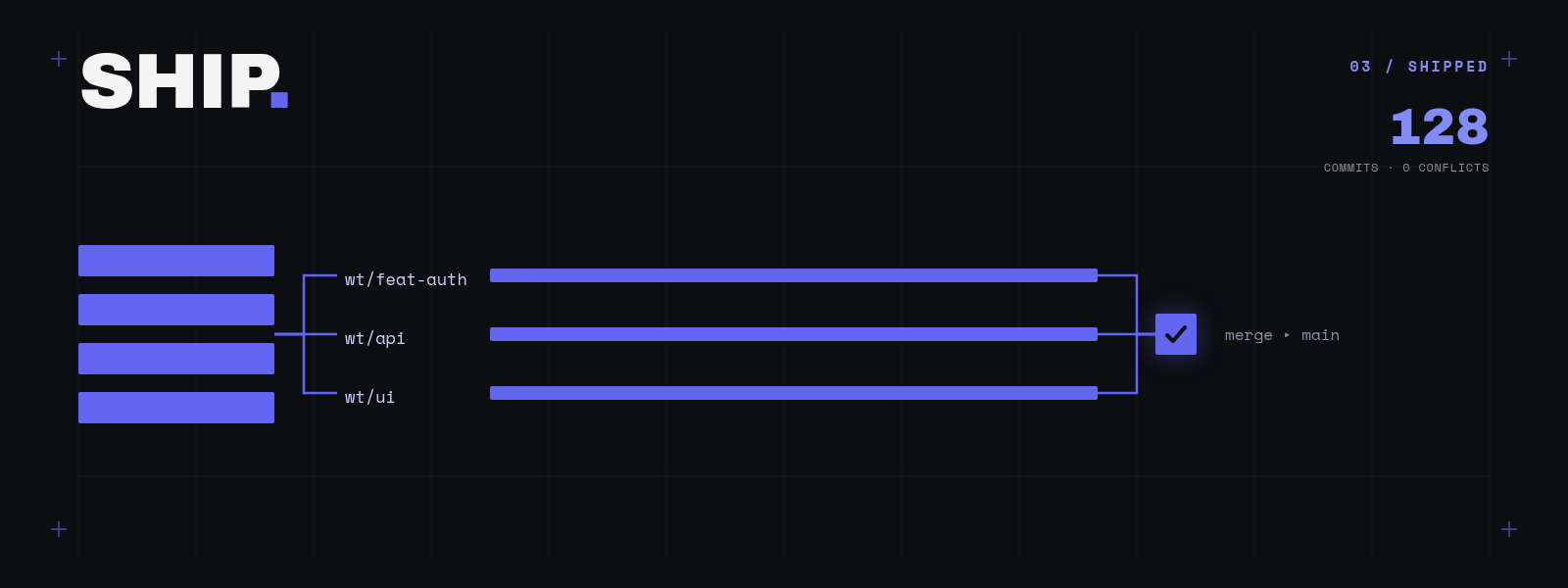
Here’s what I’ve come to believe: writing code has become the cheap part. Today’s models type faster than I do, and get it right more often. What they can’t do is decide what’s worth building, or keep a whole project’s worth of decisions in their head while they build it. So the real work has moved up a level: to thinking about the product, and about how the whole thing fits together.
In this post I’ll walk through the workflow I’m using based on my experiments. The goal by the end: a setup you can take inspiration from.
Each section states the general idea first. Where I have concrete evidence, it sits in a collapsed case study block underneath: open it if you want the proof, skip it if you just want the argument. Most of that evidence comes from my side project mboard, a Slack-first ticketing tool (a Go backend, a Next.js web UI, and Postgres for storage).
The goal: The workflow should be such that we only need to think about product direction, and let agents do the development.
Where agents fall apart
Agents are amazing at one-shot builds. Give a fresh model a clear prompt and it’ll spit out something genuinely impressive in one go. But projects don’t stay small, and that’s where things start to crack. The reason is simple: an agent can only “see” so much at once. Once your project grows past what fits in that window, an agent working on a new feature just can’t see the rest of the code. Two problems follow from that:
- Problem 1: agents forget decisions you already made. The reasoning behind an earlier choice isn’t in front of the agent, so it happily undoes it, or does the opposite.
- Problem 2: agents break features that already work. The agent can’t see the code it’s about to step on, so it steps on it.
Both of these have bitten me for real. My favourite example: I had two agents working at the same time on mboard: one reworking the subtasks panel, one adding board-name links. When I merged their work, the subtasks rework had quietly deleted the other agent’s feature. The only reason I caught it was that the second agent’s tests went red:
B’s SubtasksPanel rework dropped E’s board-name changes: re-add the boardName prop + subtask-list testid, and route the promoted-subtask link through ticketHref so cat-e’s fold-persistence and routing e2e tests pass.
That’s Problem 2, happening live, inside the exact parallel setup I’m about to recommend. The lesson isn’t “don’t run agents in parallel”; it’s that parallel only works once you’ve built the safety nets first. (There’s a quieter version too: another time an agent added a bit of “auto-sync” code that undid columns I had just unchecked. The feature fought me. Small bug, same family.)
The fix is the setup, not the prompt
Here’s the shift that changed things for me: the answer is not a cleverer prompt. It’s building an environment that does two things: remembers your decisions for you (so they survive even when they fall out of the agent’s view), and catches breakage automatically.
Line that up against the two problems:
- Written-down requirements + an architecture doc → your decisions, remembered (fixes Problem 1).
- Architecture built for change + a real test suite → breakage caught early (fixes Problem 2).
Everything else (worktrees, running agents in parallel, reviewing) is about doing all this fast.
And yes, I know: requirements docs, architecture docs, tests. This is all old, boring software-engineering advice. But bear with me: agents turn it from “nice to have” into “the thing holding everything up.” The discipline you could get away with skipping on a solo project is exactly the discipline that stops an agent from wrecking it.
Here’s the whole flow. Each step gets the general idea first, with a case study you can open underneath:
- Gather requirements
- Lay the foundation (architecture)
- Set up for parallel work
- Testing
- Running agents at scale
- Reviewing: the new bottleneck
Requirements: write down what you want
The first thing I do, before writing a single line of code, is write down what the product should do. In as much detail as I can, going back and forth with a good reasoning model until I’m happy. Two rules:
- No implementation details. This doc is about what and why, never how.
- Think ahead. Try to list out future use-cases now, because the architecture (next step) has to plan for them.
This isn’t documentation for its own sake. This doc becomes the memory the agents read back. So it’s worth being thorough, and worth writing down not just what you’re building, but what you’re not.
mboard case study A 250-line requirements doc, and its out-of-scope list
mboard’s requirements file is about 250 lines, with zero code. One line from it does a lot of work: the product was “designed from day one to support the full ticketing vision… so the web UI is an additive surface, not a rewrite.” Hold onto that. My favourite part isn’t the feature list though. It’s the “out of scope” section:
## Out of Scope for v1
- Web UI (designed for, built later).
- Email notifications.
- SSO / login integration.
- File or image attachments.
- Per-board access control (all boards visible to everyone in v1).
That’s a written record of what not to build. So when an agent, three weeks later, “helpfully” starts adding file attachments, the doc is right there saying “not yet, and here’s the line.” That’s Problem 1, solved with a text file.
Foundation: design for where it’s heading
Architecture matters more than ever now, exactly because you’re going to let agents change the structure later. If the foundation is wrong, an agent’s perfectly reasonable-looking refactor will crack the whole thing. So you design not just for today’s features, but for where the project is heading.
mboard case study A core that doesn't know about Slack
For mboard, the whole trick was making the core not care which app it’s shown in. The “board” doesn’t know Slack exists:
Three decisions carried it:
- The core doesn’t know about Slack. In the doc’s words: “the board itself has no Slack columns. A linking table maps channels → boards.” This is the one that paid off most: the same board later became the web UI’s “Area” with no rewrite. Exactly what the requirements promised.
- User lookups go through one middle table. There’s a
userstable, and a separate table that maps “this Slack user = this local user.” Everything points at the local user. So a future login provider slots in without touching every table. - The activity log is the source of truth. Every action on a ticket is one event; a custom field’s current value is worked out from the log, not stored twice. Adding a new field type is just data, with no database migration.
But here’s the part that really fights Problem 1. My architecture doc keeps a running list of decisions I’ve already settled:
## Resolved Decisions
- Local users table — Yes. Everything points at users.id.
- Multi-workspace — Not yet. Assume one org for v1.
And where a choice looks odd, it says why. For example, the common fields are copied straight onto the ticket row so they’re fast to search, while custom fields are read back from the log. Writing down the why is the whole difference between an agent respecting a decision and an agent “fixing” it.
Set up for parallel work
Now the fun part: running agents side by side. Git worktrees give you a separate checkout per branch, but that alone isn’t enough: two agents will still fight over the same database and the same port. What you want is one command that gives each agent its own everything.
mboard case study One command: own database, own port
mboard’s Makefile builds a database name from the branch name, and creates it if it’s missing:
dev-setup:
	# turn the current branch name into a safe db name, e.g. mboard_my_feature
	$(eval BRANCH := $(shell git branch --show-current | sed 's/[^a-zA-Z0-9]/_/g'))
	$(eval DB := mboard_$(BRANCH))
	# create that database only if it doesn't already exist
	@psql ... -tc "SELECT 1 FROM pg_database WHERE datname='$(DB)'" | grep -q 1 || \
		psql ... -c "CREATE DATABASE $(DB)"
	@echo "==> Dev env ready: $(DB)"
And make dev grabs a free port on its own and starts both servers, so five worktrees can run five copies of the app without tripping over each other:
dev: dev-setup
	# ask the OS for any free port instead of hardcoding one
	$(eval API_PORT := $(shell python3 -c 'import socket; s=socket.socket(); s.bind(("", 0)); print(s.getsockname()[1]); s.close()'))
	@trap 'kill 0' EXIT; \
		$(MAKE) run-api DATABASE_URL=...$(DB)... PORT=$(API_PORT) & \
		API_URL=http://localhost:$(API_PORT) $(MAKE) run-web & \
		wait
The bar to hit: an agent should be able to add a worktree, run one command, and have a fully working app: its own database, its own port. If setup takes any thought, parallel work falls apart.
Testing: the safety net that makes speed safe
Tests are the one thing that lets an agent add a feature without breaking the last one. So the standing rule for every agent is simple: run the tests after every change, and write tests for every feature.
The style of testing is deliberate: test what the user does, not what the code does. Each test walks through a whole flow, start to finish. And bugs get the same treatment: write a test that reproduces the bug before fixing it. Remember that parallel-merge disaster from earlier? The only reason I caught it was that the deleted feature had a test, and it went red.
Can you trust tests an agent wrote, though? Honestly, only partly. They’re the safety net, but a net only catches what it actually covers. A bug can pass every test and still break for real users.
mboard case study The agent instructions, and a bug the tests couldn't see
In mboard this isn’t a suggestion: the agent instructions say it flat out:
You must run
make testafter EVERY change. Write tests for every feature.
And the rule for bugs is spelled out too: “If a bug is found, add a test that reproduces it before fixing.”
The catch is the bug that slipped through anyway:
Note: mboard’s own instructions document a bug the agents kept re-introducing:
crypto.randomUUID()isn’t available on a plain-HTTP page, so it broke on the real deploy. But the tests never caught it, because they only ever run againstlocalhost, where it works fine.
So: lean on tests hard, but keep your own eyes on the kinds of failures they can’t see.
Running agents at scale
My first taste of this loop was vibe-kanban, and it really clicked for me. You file tickets like GitHub issues, agents pick them up and build in their own isolated worktrees, and you just review the diffs and approve. It felt like the future the first time I saw it. If you’ve never seen it in action, their overview video is a couple of minutes well spent.
Note: the company behind vibe-kanban has since shut down, but the project lives on as open-source and community-maintained.
Eventually I built my own version on top of Paseo, because I wanted something a bit more hands-on than a board. The idea is talk to one agent, ship with a team: I talk to a single “first mate”, which writes up each task, hands it to worker agents in their own worktrees, watches them finish, and gives me back finished pull requests or reports. It never touches the code itself. The difference from vibe-kanban is that it’s more like a small team with a lead than a to-do board: work is either a “scout” (go look into something and report back) or a “ship” (make a change and open a PR), and nothing gets merged unless I say so.
The first-mate idea, and the captain / first mate / crew model behind it, come from Kun Chen’s firstmate (“Talk to one agent. Ship with a crew.”). Mine, paseo-firstmate, builds directly on his project and re-implements it natively on Paseo, so if you’d like to try it, that’s the repo, and Kun’s is where it all started.
The bit I like most: use the expensive model for planning, the cheap one for typing. Hard planning goes to a top-tier model; the actual implementation goes to a cheaper one working in its own worktree, thrown away after merge. Pay for judgement, not for typing.
Reviewing: the new bottleneck
Here’s the twist nobody warns you about. Once agents are churning out correct, tested code this fast, the slow part becomes you. More than once I’ve opened a finished PR and genuinely not remembered what I’d asked the agent to do.
So I pushed the job of making the change easy to review onto the agent too. Before an agent shows me its work, it fills its own dev database with example data and prepares a little demo for me: one case that shows off the new feature, one that should not trigger it, both checked in a browser. I read three sentences, click through five steps, and approve. It takes away a huge chunk of what used to make reviewing agent work feel like a second job.
Case study The demo prep, in the skill's own words
This comes from a skill I give my agents (the one that batch-processes a backlog). Its idea, in its own words:
A passing test suite doesn’t let a human actually look at the change, and a reviewer shouldn’t have to hand-make data to find it.
So the agent sets up the case that shows off the new feature and the case that should not trigger it, checks it in a browser, then hands me back “the exact commands to start the app, a one-line before/after, and a numbered click-path naming the example records.”
Wrapping up
So if you want to try this on your own project, here’s the whole thing in one list:
- Write down what you want: detailed, no code. This becomes the agents’ memory.
- Design a foundation that expects change: and write down why you chose it.
- Make isolated dev environments a one-liner: own database, own port, per branch.
- Let tests be the safety net: test full flows, add a test for every bug.
- Run agents in parallel: file the work, let them build, don’t merge blindly.
- Make review cheap: have the agent prepare the demo for you.
None of these pieces are new. What’s new is that agents turn each one from optional into essential. And once they’re all in place, the honest bottleneck really is how fast you can decide what to build next.
That’s the whole pitch. Writing the code isn’t the hard part anymore: thinking is. Build the setup that lets you spend your time there.